
Solving equations is possible with the equation solver in the fx-991ES PLUS or fx-991EX calculator's shift-solve
functionality. Once the equation has been entered, the calculator uses the Newton-Raphson numerical method to solve the equation. Because the equation solver uses a numerical method, it only works with equations with a single variable, but can find multiple values.
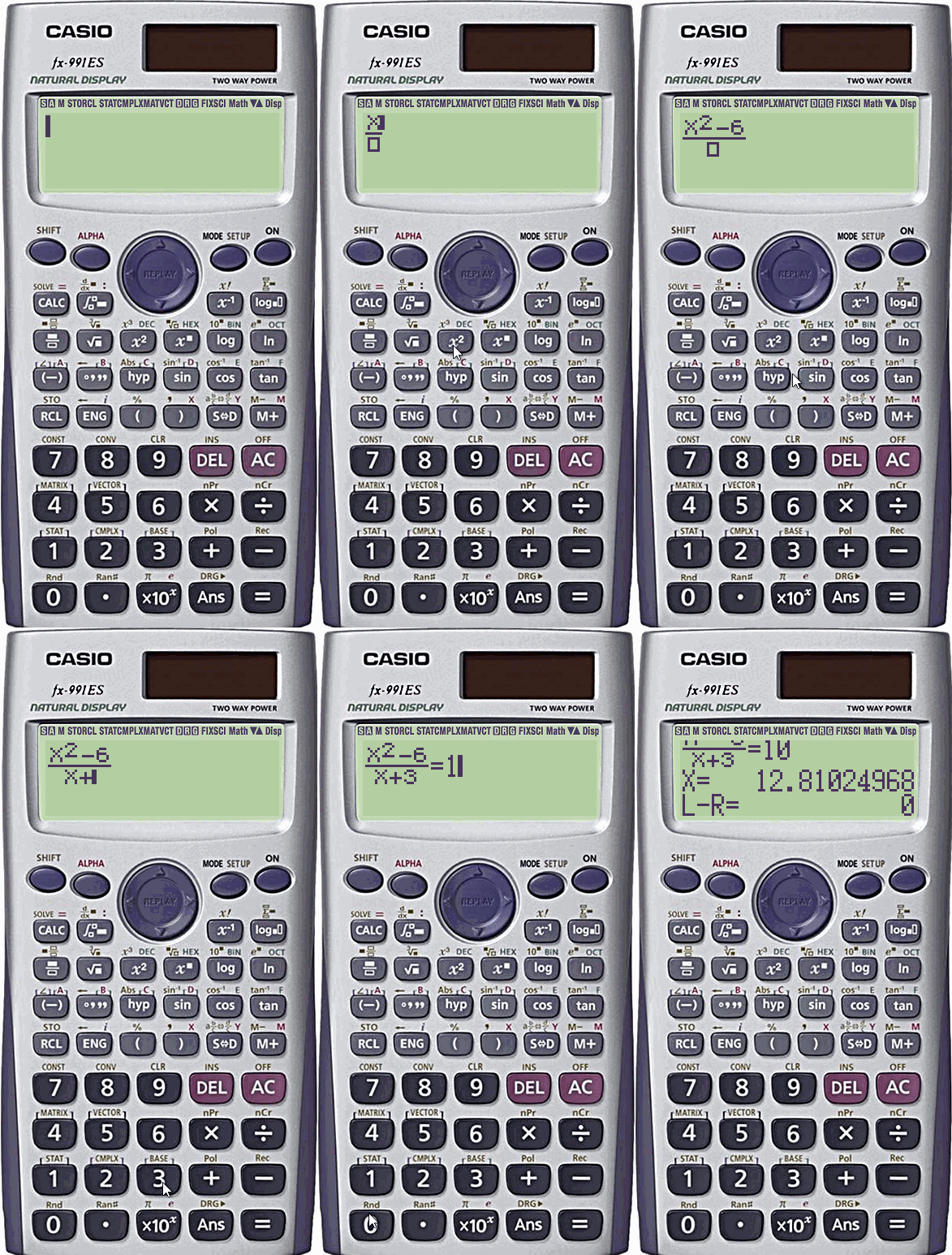
For example, I will solve the following equation for x:
- Enter the left expression using X. An X is inserted for variable that you wish to solve.
- Use = accessible through ALPHA CALC. This inserts an equals sign.
- Enter the right expression.
- shift-solve to enter equation solve by pressing SHIFT CALC.
Solve for X
will be shown on screen. - If applicable, enter a number as the starting point. This Casio calculator uses Newton-Raphson numerical method solving for x. The current value of X is displayed for reference and will be used if no new value is provided.
- Press = to solve the equation. The calculator may take a few seconds.
The first value of x as found by the numerical method will be provided on the screen and is saved to the X variable. The difference between the left expression and the right expression is shown as the solution to L–R.
Caveats: As mentioned, this only works with equations with one variable. The variable can be used multiple times, as shown in this example, however you can't use two or more variables such as x and y. If you wish to use more than one variable, you need to use the quadratic equation solve.
Furthermore, the Newton-Raphson numerical method only returns one value. To find another value, change the start point at step 4. For example, if there are two solutions, one positive and one negative, and you find the positive one, enter a negative number for the start point to find the negative answer.
Buy a Casio fx-991EX calculator on Amazon using this affiliate link to help support this site.
Leave a Reply to reanakua Cancel reply